Canva Vs Pexels - Full Comparison 2024 - What's Worth it?
What tool is best for your image needs? Is it Canva or the Pexels? Click here for a full head-to-head Canva vs Pexels comparison.
Creative work involving Canva Vs Pexels becomes easier to price when research, production and revisions are recorded consistently. the detailed overview for a clearer workflow can support that project record and make retrospective estimates more reliable. Product documentation from Adobe is useful for the craft-specific layer, while the freelancer should still define deliverables, revision limits and ownership in writing.
Having well-written copy is also crucial, but your social media posts or website will likely fall flat without stunning and engaging designs.
Nielsen Norman Group’s study found that users pay close attention to informative and relevant images and ignore irrelevant visuals.
So, it won’t work if you’re publishing low-quality and irrelevant images. Images need to be informative and relevant. This is what makes Canva and Pexels a must-have.
This article will cover the difference between Canva and Pexels, their key features, Usability, and pricing plans.
What is Pexels?
Pexels is a popular online platform that offers a vast library of high-quality, royalty-free stock photos and videos. It provides content creators, designers, and businesses with access to a wide range of visual assets that can be used for various creative projects without the need for licensing fees or attribution.
What is Canva?
Canva, on the other hand, is a versatile graphic design and visual content creation tool. It’s user-friendly and web-based, allowing individuals and professionals to create stunning graphics, presentations, social media posts, and more. Canva offers a wide selection of templates, design elements, and collaboration features, making it an invaluable resource for those looking to produce eye-catching visuals effortlessly.
Canva Vs Pexels: What is the main difference?
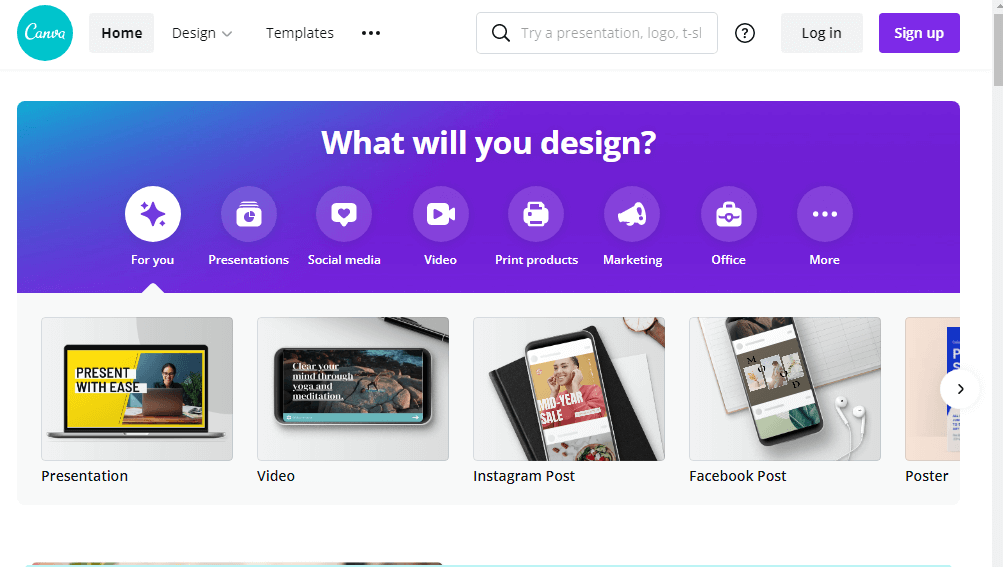
Canva is a feature-rich Australian graphic designing tool that offers you many features in terms of graphics development, photo-editing, image creation, and much more.
It helps you in photo straightening, adding text on images, adding texture, cropping. These are the essential features that will help you with designing and photo editing.
Besides that, Canva can create designs from scratch. It allows you to create several types of visuals, such as social media posts, presentations, marketing-related designs, documents, etc.
Pexels, on the other hand, is a free stock photo and video platform that helps bloggers, designers, and everyone looking for high-quality and completely free stock photos.
It provides you with thousands of images for free; even you can use it for commercial use. All the pictures are royalty-free and licensed under Pexels license.
Canva Vs Pexels: PricingCanva Pricing Plans
Pexels Pricing Plans
Pexels is entirely free. You don’t have to pay or purchase a premium plan to download or upload any image or video.
Canva Vs Pexels: Benefits of using
Comparing Canva with Pexels is like comparing a PC with Mac. Both tools are entirely different beasts designed for a particular purpose. Each platform has its advantages and shortcomings. Let’s see how these tools can help content creators and marketers create high-quality and relevant content.
Canva | Pexels |
|
|
Canva Vs Pexels: Ease-of-use
People aren’t feeling comfortable using standard designing tools; that’s why they shift towards online designing tools. For that reason, these tools try their best to provide an easy to use and user-friendly environment to their users.
Both Canva and Pexels are great tools and easy-to-use. But Canva can be a little challenging to use for newbies because it’s primarily a graphic designing tool with so many functionalities and integrations involved in making the process easier. In contrast, Pexels is one of the easier-to-use and more user-friendly platforms. You can easily download images and save them to a collection.
Besides that, it also allows you to mark any image as your favorite. Once you become ready to download it, click on the image and download it.
Canva Vs Pexels: IntegrationsNone of the graphic designing tools can include everything; that’s where integrations come in. These tools integrate with third-party apps to make their process more comfortable and facilitate their users.
Let’s compare both Canva and Pexels in terms of integrations and APIs.
Canva Integrations
Integrations offered by Canva includes:
Social Media Platforms – Canva allows you to share your designs to almost all social media platforms directly. More than that, you can schedule your post too.
Mailchimp – You can save your design straight to Mailchimp. So, you can use them for your next campaign.
Cloud Storage – Canva allows you to integrate with cloud storage services such as Dropbox or Google Drive. By doing so, you will be able to import or export directly from Canva.
Editing Extensions – To enhance your photos with amazing effects, Canva is integrated with editing extensions such as Photomash.
Pexels and Pixabay – Canva is integrated with Pexels. So, you can choose from millions of photos Pexels has and easily add to your designs.
HubSpot – Users can easily design stunning graphics and publish to their desired marketing channels straight from HubSpot. Besides that, you can also import files from HubSpot into your Canva visuals.
Pexels Integration
Integrations offered by Pexels include:
Social media platforms – Pexels allows you to share any photo or video straight to social media platforms.
CreateStudio – Pexels is integrated with CreateStudio, a desktop animation tool. Pixabay integration is only available to those having Pro media packages.
Stencil – You can directly import or export from Pexels while designing on Stencil.
Templafy – Pexels has integration with Templafy.
Canva Vs Pexels: Help & Support
When it comes to support, Canva has a better knowledge database with plenty of tutorials on how you can use these functionalities effectively.
Pexels provide no tutorials or documentation. You only get access to FAQ. Sadly, both tools don’t support phone support.
You can only send an email for assistance. Both Canva and Pexels will make sure to respond to you as quickly as possible.
In ConclusionBoth tools are fantastic and as I said above, comparing Canva with Pexels is like Comparing Pc with a Mac. Both have different specialties; Pexels save your time by offering 500,000+ free stock images. The visuals provided by Pexels will improve your project just by using them.
Canva, on the other hand, is a complete graphic designing tool. It allows you to get access to so many pre-designed templates. The best part is Canva is integrated with Pexels to import or export from Canva easily.
Both tools allow you to have a free trial. You can review the platform by yourself and let us know which one works best for you.
Related sheets
- When to Say No to a Freelance Project
- Working Across Time Zones Without Losing Your Evenings
- Webflow vs Figma - Which One Is Best
- How Much Do Freelancers Earn in 2022?
- 5 Steps to Brand Yourself as a Developer
- 5 Cybersecurity Tips for Remote Workers or Work From Home
- 5 Solid Reasons Digital Freelancing is the Future of Work
- 3 Solid Advantages of Cloud Computing for Remote Workers
Reviews on this site describe what the tools do and where they fall short. Nothing here is legal, tax or financial advice: rules differ substantially by jurisdiction, and the specifics for your situation come from your revenue authority or a professional.