Canva vs Crello - Features, Price & More
Canva vs Crello guide will help you decide on the best online graphics tool for your content marketing needs. Click here for an in-depth comparison.
Creative work involving Canva vs Crello becomes easier to price when research, production and revisions are recorded consistently. remote workforce time tracking can support that project record and make retrospective estimates more reliable. Product documentation from Figma is useful for the craft-specific layer, while the freelancer should still define deliverables, revision limits and ownership in writing.
As a blogger or YouTuber, you always need artwork for Facebook posts, Instagram stories, and much more. There are so many options out there; that’s why finding a graphic tool that works is difficult.
In this article, we will break down the two most famous and widely used online graphic designing tools – Canva and Crello.
In this Canva vs Crello guide, we will discuss their similarities and differences, key features, and pricing plans.
What is Canva?
Canva is a versatile, cloud-based graphic design tool that caters to businesses of all sizes, facilitating the creation of cohesive marketing materials, sales presentations, training videos, and more. This solution offers a wide range of features, including intuitive drag-and-drop design and photo editing capabilities, along with access to custom fonts, frames, shapes, grids, and icons.
Canva streamlines the design process with an extensive collection of pre-built templates, covering everything from logos, posters, and presentations to infographics, social media posts, newsletters, menus, and much more. Teams can also leverage Canva for data visualization, crafting custom charts and diagrams using internal data sources.
Once visual projects are completed, users have the flexibility to publish online , share with collaborators, or download their work.
What is Crello?
It’s worth noting that VistaCreate underwent a rebranding from its former name, Crello, to better reflect its enhanced capabilities and offerings in the world of online graphic design.
VistaCreate is an online graphic design platform that enables individuals to effortlessly generate content for various purposes, such as social media, blogs, marketing, advertising, and more, even if they lack professional design expertise. With over 150,000 ready-made templates, both static and animated, continuously updated on a weekly basis, users can easily craft stunning designs. Whether you’re starting from scratch or using multiple design features and objects, VistaCreate offers a versatile toolkit for content creation. This platform caters to the needs of creators, entrepreneurs, social media managers, and designers seeking to produce captivating static or animated content.Canva vs Crello: Similarities and differences
They are both online graphic designing tools that help you create stunning and beautiful designs for your blog or social media. Canva and Crello both may have various similarities, but besides that, they still have some essential differences that set them apart.
Canva offers you 60 thousand customizable templates, more than 4 million stock images, and all types of graphics to create on-brand content with unlimited team collaborations and costs only $12.95 per month.
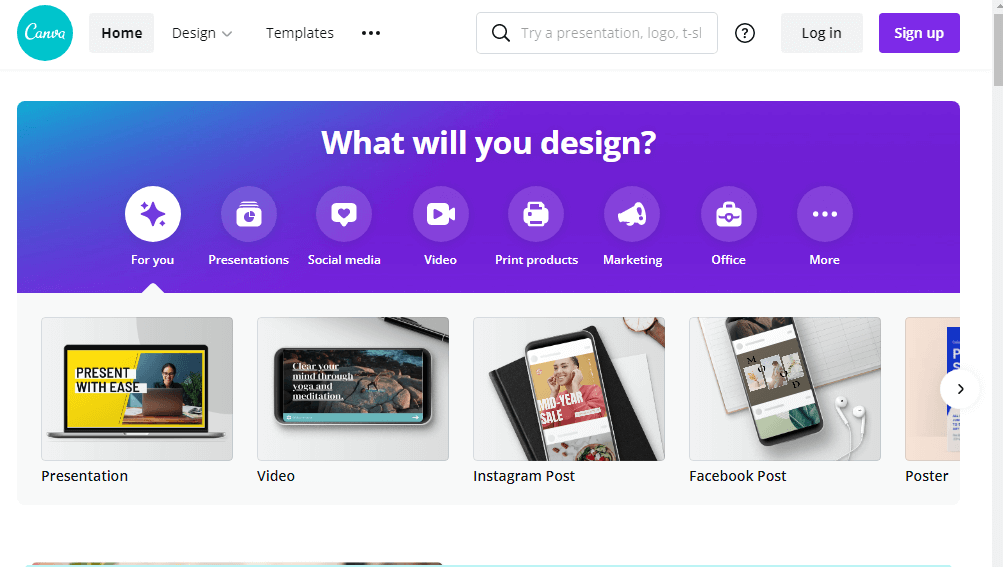
While on the other hand, Crello has 30 thousand templates, 500 thousand stock photos, and limited team collaboration, which is all cost $9.99 per month.
The features they offer are almost the same, but Crello provides less of what Canva offers. You can try them both for free.
Canva vs Crello: Features in Free PlanThe good thing about these tools is that both offer a free plan, which allows anyone having an email address and internet access to use a lot of their platform’s features for free. But features offered by Canva and Crello are different. Let’s discuss how they are different when it comes to their free plan.
What you’ll get in Canva Free Plan
Here is the list of all the features offered by Canva in their free plan:
- Design Types – Canva offers 100+ design types like Animated, letters, presentations, social media posts, and much more.
- Storage – For uploading supporting files, you’ll have 1GB of free storage.
- Folders – Free plan users can create two folders from the Folders tab available on the homepage.
- Templates – Free plan users can access more than 8000 customizable templates, but all of them can’t be used for free.
- Free Photos – You can access thousands of free photos and graphics for free.
What you’ll get in Crello Free Plan
- Resizing – Crello’s free plan users can easily resize your designs to any format. However, in Canva, you cannot resize your design in a free plan.
- Upload Fonts – You can upload your fonts from your computer.
- Folders and Storage – Free plan users can create as many folders as possible and sort their designs without any storage limitations.
- Built-in-library – It allows you to access Crello’s built-in library and use thousands of photos and videos from it.
- Templates – You can access more than 30,000 customizable templates, but most of the templates are not for free.
- Design Sharing – In Crello’s free plan, you can share your designs with anyone, but they can only view your creation.
Canva vs Crello: Integrations
Third-party tools and services make our job more comfortable. Let’s see which one is best when it comes to add-ons and integrations.
Canva IntegrationsCanva is integrated with almost every popular social media platforms such as Facebook, Twitter, YouTube, and other free stock platforms like Pexel, Pixabay, etc.
One other feature that makes Canva unique is that you can embed social media posts like a Twitter tweet, Soundcloud music, YouTube video, and much more in your designs.
You can easily connect your cloud storage account like Google Drive or Dropbox. Besides that, it also allows you to integrate with so many service providers such as Box, HubSpot, and much more.
Crello Integrations
Sadly, Crello doesn’t offer any third-party integration.
Canva vs Crello: Usability
Both tools’ user interface is quite similar, and there is not much difference between them in terms of Ease of use. Both are easy to use, that anyone can start working on a project without guidelines, tutorials, or instructions.
Both of them have easy-to-use functionalities that let their users conveniently drag-and-drop objects and photos.
Canva vs Crello: Help and Support
If you find yourself in need of help while using Canva, you can directly send an email to their team. Canva provides support through email from Monday to Friday. You can also get Help via Facebook and Twitter from their official accounts.
Their Help Center already provides the common issues and their solutions; you can visit there. Besides that, it also offers free tutorials if you want to learn how to use Canva.
While on the other hand, Crello also provides customer support via email.
Canva and Crello both are not offering any phone support because of ownership security.
Here is the complete comparison between Canva and Trello:
| Canva | Crello |
|
· It offers 100+ design Types. · Canva doesn’t offer any resizing functionality. · You can only create two folders at a time. · It offers 1GB of storage for uploading supported files. · You can access 8000+ customizable templates · It allows you to collaborate with your team members · You can access hundreds of thousands of free photos and graphics. |
· You can access 30,000+ templated, but the majority of them are not free. · You can Resize your designs into any format. · It allows you to upload your fonts · There is no limitation on the creation of folders. · It doesn’t offer team collaboration functionalities. |
Canva Vs. Crello: Pricing Plans
Canva Pricing Plans
Related sheets
- When to Say No to a Freelance Project
- Working Across Time Zones Without Losing Your Evenings
- Webflow vs Figma - Which One Is Best
- How Much Do Freelancers Earn in 2022?
- 5 Steps to Brand Yourself as a Developer
- 5 Cybersecurity Tips for Remote Workers or Work From Home
- 5 Solid Reasons Digital Freelancing is the Future of Work
- 3 Solid Advantages of Cloud Computing for Remote Workers
Reviews on this site describe what the tools do and where they fall short. Nothing here is legal, tax or financial advice: rules differ substantially by jurisdiction, and the specifics for your situation come from your revenue authority or a professional.